
Turn any image into words
Upload a photo and get a clear, useful description — short for social posts, detailed for accessibility, or technical for documentation. You choose the format.
Drag and drop your image here
or
Supported formats: JPEG, PNG, WEBP
Maximum size: 8MB
Output styles
Three ways to describe any image
Not every situation needs the same level of detail. Pick the mode that fits what you're doing.
One-line summary
One sentence that captures the main subject and action. Perfect for social media alt text, image filenames, or quick scanning through a photo library.
“A golden retriever catching a frisbee in a sunlit park, with two children laughing in the background.”
Full paragraph
3-5 sentences covering the main subject, setting, key details, mood, and notable elements. This is the default mode — good for blog posts, product listings, and general use.
“A golden retriever leaps into the air to catch a bright orange frisbee in a sunlit park. Two children, around ages 6 and 8, watch from the grass with wide smiles. The scene is bathed in warm late-afternoon light, with oak trees visible in the background. The dog's fur is slightly windswept, suggesting a breezy autumn day.”
Technical breakdown
An exhaustive description with object positions, colors, lighting analysis, text transcription, and compositional notes. Think of it as the raw data from our content analyzer, rewritten into readable prose.
“The image depicts an outdoor scene at approximately 4-5 PM based on shadow angles. Main subject: a golden retriever (adult, female-appearing) in mid-air at the center-right of the frame, catching an orange disc (likely a Chuckit! frisbee, 9-inch). Two children — one male (~7), one female (~5) — are seated on grass in the lower-left quadrant…”
Examples
See what you'll get
Here are real results from our describer, showing all three modes on different types of images.
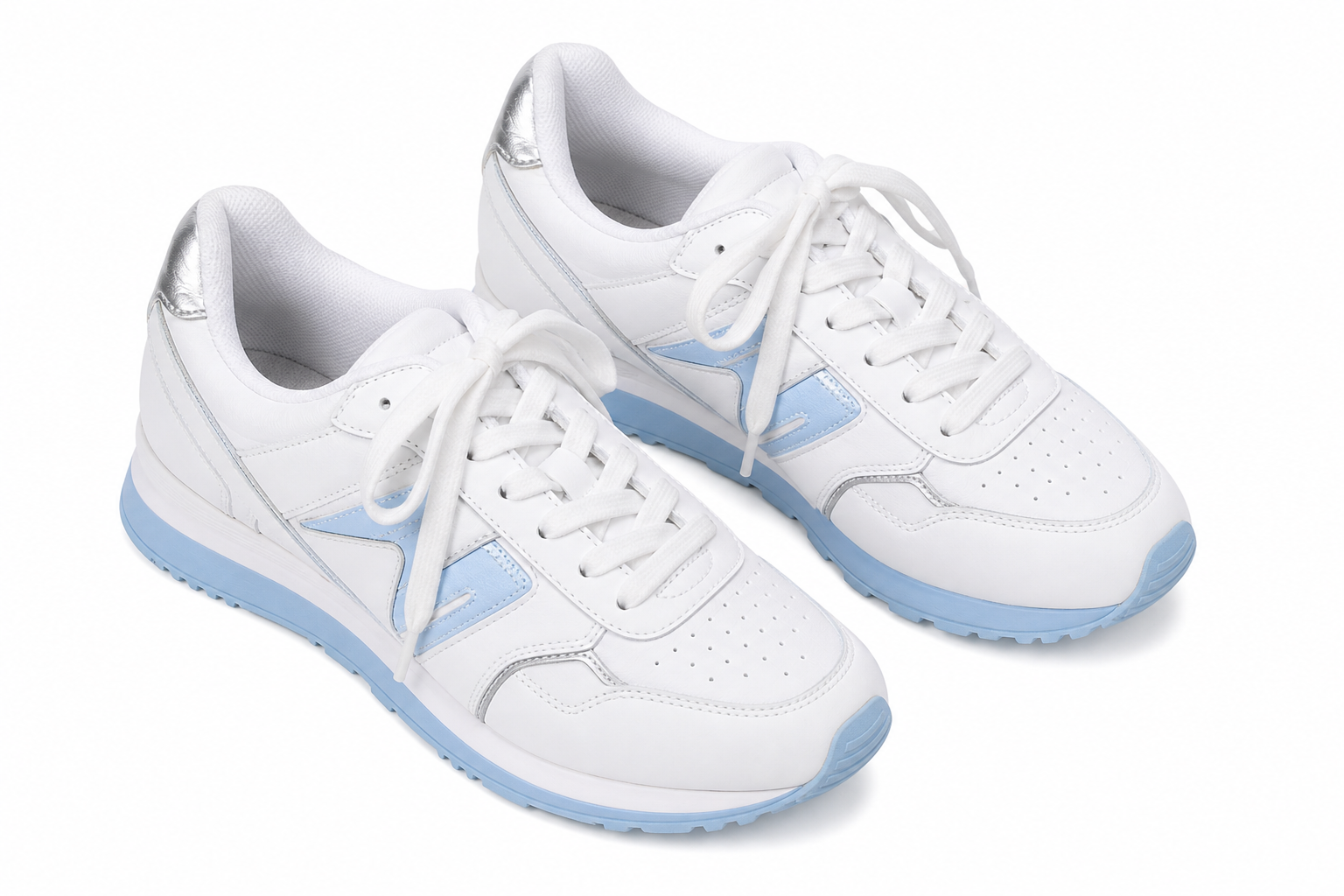
Quick
“White leather running sneakers with blue sole accents, photographed from a 45-degree angle on a clean white background.”
Standard
“A pair of white leather athletic sneakers shot from a 45-degree overhead angle. The shoes feature light blue sole detailing and reflective silver heel accents. The laces are loosely tied. Lighting is even studio lighting with no visible shadows. No branding is visible on the upper — these appear to be unbranded or the logo has been digitally removed.”
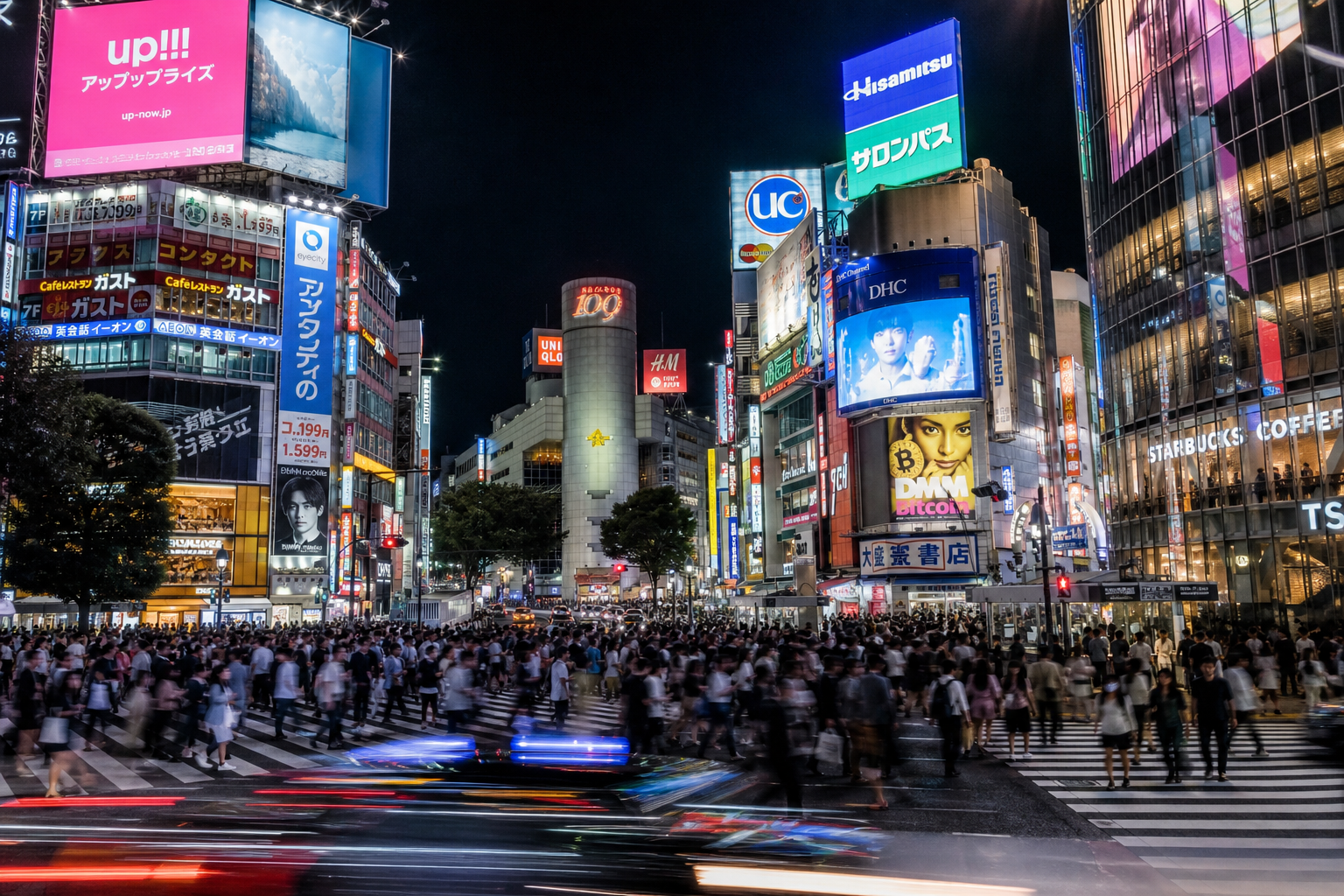
Quick
“A busy Tokyo intersection at night with neon signs, pedestrians crossing, and light trails from passing traffic.”
Standard
“Night view of a major pedestrian crossing in Tokyo, likely Shibuya. Neon advertisements in Japanese and English illuminate the scene in pink, blue, and white. Approximately 30-40 people are visible crossing the street. Light trails from vehicles create horizontal streaks across the lower portion. The overall mood is energetic and cinematic. Visible signage includes a large building-mounted screen and several restaurant signs.”
How it works
Image to text in three steps
Upload
Drop your image, browse files, or paste a URL. JPEG, PNG, WebP — if it's under 8MB, we'll take it.
Analyze
Our model scans the image for objects, people, scenes, text, colors, composition, and mood indicators. This runs in under 2 seconds for most images.
Generate
The detected elements are assembled into natural language based on the mode you chose. You can switch modes instantly after the fact — no need to re-upload.
Copy or download
Copy the description to your clipboard, download it as a .txt file, or use it directly as alt text. Your image is discarded after processing.
Who uses this
When a description is worth a thousand pixels
Accessibility
Generate alt text for every image
If you run a website or blog, you know how tedious writing alt text is. Drop your images through the describer, grab the Standard output, and you have WCAG-compliant alt text for every image on your site. Not just "photo of a dog" — actually useful descriptions.
Content Creation
Caption social media posts faster
Posting photos to Instagram, Twitter, or a newsletter? The Quick mode gives you a ready-to-use caption in seconds. Spend your time on the rest of the post, not staring at a photo trying to describe what's obviously in it.
E-Commerce
Write product descriptions at scale
Got a catalog of 200 products with inconsistent or missing descriptions? Run them through the Detailed mode. You'll get a solid first draft for every product image — consistent format, all the key details, ready for a human editor to polish.
FAQ
Common questions about Image Describer
Everything you need to know about generating image descriptions